
Code Formatter
Format and minify JavaScript, TypeScript, CSS, HTML, Markdown, YAML and more with Prettier.
Runs on your machine. Nothing you paste is uploaded.
Get Code Formatter and 121 other tools. Free for 7 days, no account needed.
What it does
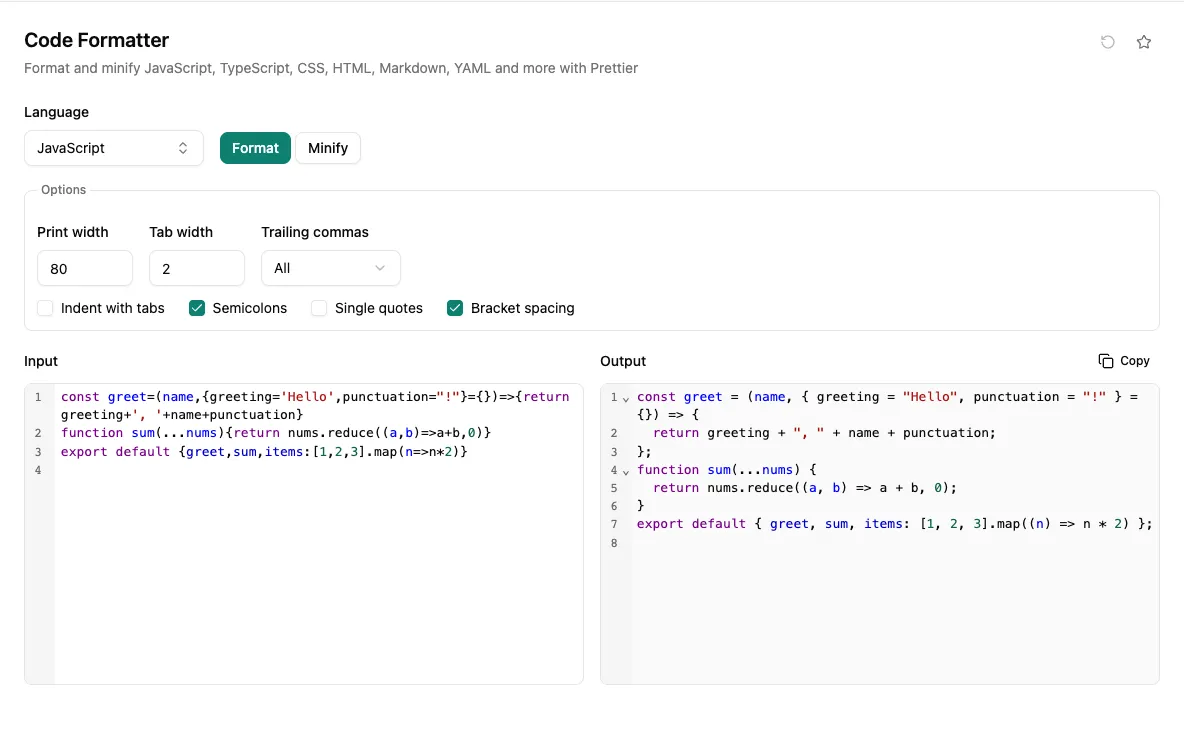
Paste JavaScript, TypeScript, JSX, CSS, SCSS, Less, HTML, Vue, GraphQL, Markdown, YAML or JSON and get it back formatted by Prettier, the same formatter many teams already run in their editors and CI. The output updates as you type, side by side with your input, ready to copy.
Print width, tab width, trailing commas, tabs versus spaces, semicolons, single quotes and bracket spacing are all adjustable. For JavaScript, CSS and HTML there is also a Minify mode. Syntax errors are reported with the line and column, and dropping a file in picks the language from its extension.
When you would reach for it
- Clean up a snippet copied from Stack Overflow or a chat before pasting it into your codebase.
- Check how a Prettier setting such as print width or trailing commas changes your code before committing to it in a config.
- Format a single file in a language your project has no formatter set up for.
- Minify a small script, stylesheet or HTML fragment for an embed or a quick size check.
Also found by searching
- prettier
- format
- beautify
- minify
- uglify
- terser
- javascript
- typescript
- jsx
- tsx
- json
- css
- scss
- less
- html
- vue
- graphql
- markdown
- yaml